How to Use Speechify for Reading Emails (Especially As a Neurodivergent Teacher)
When you think about your email inbox, how do you feel?
If you're at all like me, you may have a ‘slight backlog' of unread messages.
(Last I checked, mine were over 20,000. Whoops.)
As a teacher with ADHD or autism, that stack of unread messages can create a sense of guilt and shame.
Not to mention missed meetings or important agenda items.
(Who brought the snacks? Was it your turn?)
We don't need any extra stress than we already have.
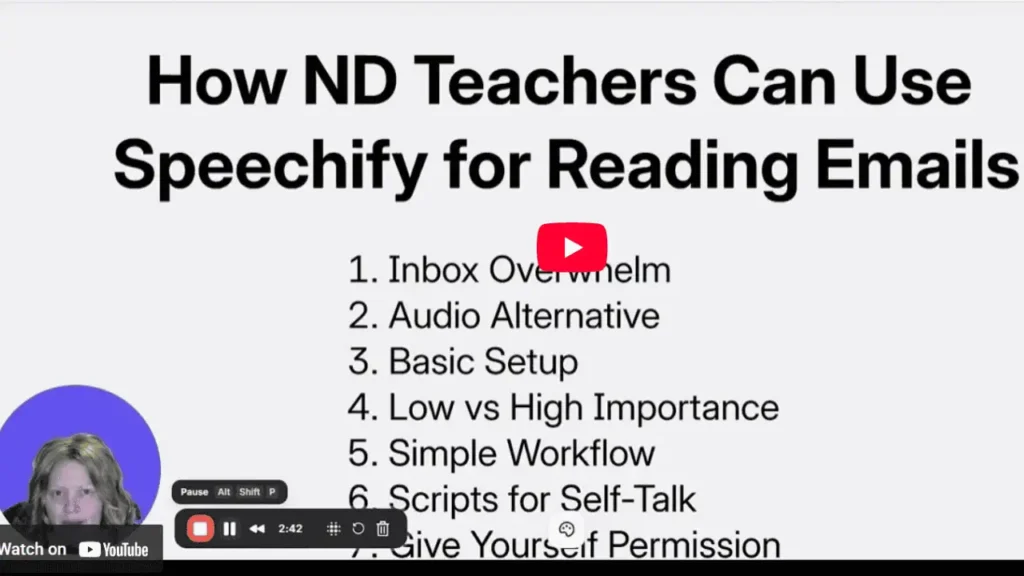
So in this post, you will learn how using Speechify for emails to help save you time and stress.
TL;DR
Email does not have to feel like an extra burden on top of your already demanding schedule.
You can use Speechify to listen to your emails, controling the speed as you need to.
Sometimes using self-talk scripts can help you get started.
Most of all, you get to treat tools like Speechify as normal support for your brain, not as something extra you have to earn.
This article contains affiliate links. If you purchase through these links, I will earn a small commission at no extra cost to you. Thank you for your support!
Why Email Is So Overwhelming For ND Teachers
A steadily-flowing inbox is part of the package when you're a teacher.
You might open it and see:
District updates, parent messages, reminders, newsletters, and a random email with the subject line “Quick question.”
You might have executive function struggles that make starting, prioritizing, and deciding what matters even harder.
When I was teaching, it was all too easy to open only the most urgent ones.
Which meant missing some important information.
If you feel super exhausted before you even start reading, there is nothing wrong with you.
It's part of the system in which we teach, and it's also part of being neurodivergent.
The Simple Shift: Listening To Emails Instead Of Reading Them
It took me a while to realize this, but you can actually listen to your emails!
There are plenty of text-to-speech tools, but I like Speechify because it is easy to use and sync across devices.
Want step-by-step tech help?
Check out my install Speechify Chrome extension guide so you don't get lost in the setup.
It's pretty straightforward though.
Using Speechify for Emails On Your Computer
If you are on a computer and using Chrome, you can use the Speechify Chrome extension.
That lets you listen to just about anything on your screen, including Gmail.
Here are a few basic ways you can do this.
You can use the Chrome extension in Gmail so it reads your emails right on the page.
You can also copy and paste text from another platform into Speechify and listen from there.
Or, use the feature where you click and drag to highlight a section of text, then have only that part read aloud.
This is helpful if you have a very dense pdf, for example, and just want to hear part of it.
Like the order of events at an important assembly, but not necessarily everything before that.

Using Speechify On Your Phone
If you are on iOS, you have a couple of choices.
You can select and copy the email text, then paste it into the Speechify app.
Or you can use the built in text-to-speech settings on your phone if that is easier.
On Android phones, you can also download and use the app.
Try a few options when you have a quiet moment (funny, I know).
That way you aren't trying to figure it out when your students also need you.
Adjusting Playback Speed To Match Your Brain
One of my favorite things about Speechify is that you can change the listening speed.
That means you can quickly go through volumes of material, kind of like skimming.
For longer messages, you might set the speed a little faster.
Let your brain catch the main idea while you hunt for missing pencils or refill your water.
For emails that you want to focus more on, like parent concerns or admin feedback, you could slow it down.
The goal is to find the speed where you can consume the material pretty quickly and still get the important parts.
Some people focus better at a higher speed. It's really up to you.
The app will tell you how much time you are saving, according to their calculations.
That is motivating for me personally, as a notoriously slow reader.

When Your Brain Resists Pressing Play
You might still feel some dread when you need to start listening to your emails.
That is normal, especially if email has been a stressor for awhile.
Or if you're like me and keep waiting for the perfect moment.
In those moments, some creative self talk can help lower the pressure.
You can try a short script like “I'm going to listen to one message and then I can stop if I want to.”
Or, try body doubling and get some accountability. This is always, always a good idea.
Does it help you to get started?
You are not promising to clear your whole inbox.
You are just agreeing to listen to part of it.
If you want to sketch out a plan to do this you can try these neurodivergent teacher organization tools.
These ADHD worksheets can help you break down tasks into smaller steps.
For more support managing time, read this article from my blog.
Giving Yourself Permission To Read Differently
Here is the most important point.
You are allowed to support your brain.
You are allowed to say, “Reading long blocks of text is draining for me, so I am going to listen instead.”
For me, using Speechify has made a real difference in how I handle reading in general.
I might have it read a recipe out loud to me, or even a parent newsletter.
Or you might prefer another text to speech tool.
The point is to give yourself permission to use it and accommodate yourself.
Putting It All Together For Daily Email Wins
Here is a simple way you might use this in real life.
- Open your inbox and start with 10 minutes of listening.
- Start with faster playback for longer or low priority emails and slow down for the ones that matter.
- Use a script like “I am just listening, not responding” to get yourself over the starting line.
- When the time is up, stop, even if your inbox is not empty.
- Reward yourself!
You are building a sustainable pattern that works for you.
Here is another site's article about more text-to-speech tools that you can explore.
I'm not familiar with all of them, but it's always good to be learning and trying out new techniques.
Especially when the initial shininess wears off.
Closing Thoughts
If you're a teacher with ADHD, autism, or both, email is doable with the right supports.
Using text-to-speech for your inbox is one small way to lower the cognitive load you carry to and from school.
(Much like the uneaten apple. Am I right?)
You need resources that help you feel empowered.
Next time your inbox gets you down, consider a tool that helps you. For me, that's been Speechify.
Think of it as merely a support for your brain, much like the need for wearing glasses.
It's not something extra you have to earn, and there's nothing morally wrong with you.
It's just the way your brain is wired.
That small shift might be enough to get you moving again, one audio email at a time.
Learn more about other tools and apps for boosting productivity and managing procrastination.
Join the Community
Do you personally have ADHD/autism and want to connect with other like-minded educators?
We share ideas, ask for help, vent, and generally support each other.
Visit our Facebook group and take it one step at a time. Please answer the quick questions and have a clear photo. That helps keep the community safe. Thank you.
You've got this! ❤️
Found Something Helpful? I'd Be So Grateful If You'd Pin One of These Images!
It truly helps my blog reach more teachers like you. Thank you so much!